Creating Your First PMF
Learn how to create and launch your first PMF as a Writer.
Pre-Creation Checklist
Before creating your PMF, ensure you have:
- Writer status on the platform, access to the Office page
- A well thought out idea of the Theme that you want to capture
PMF Creation Process
On the Office page click on "New File" in order to bring up the form for creating a PMF.
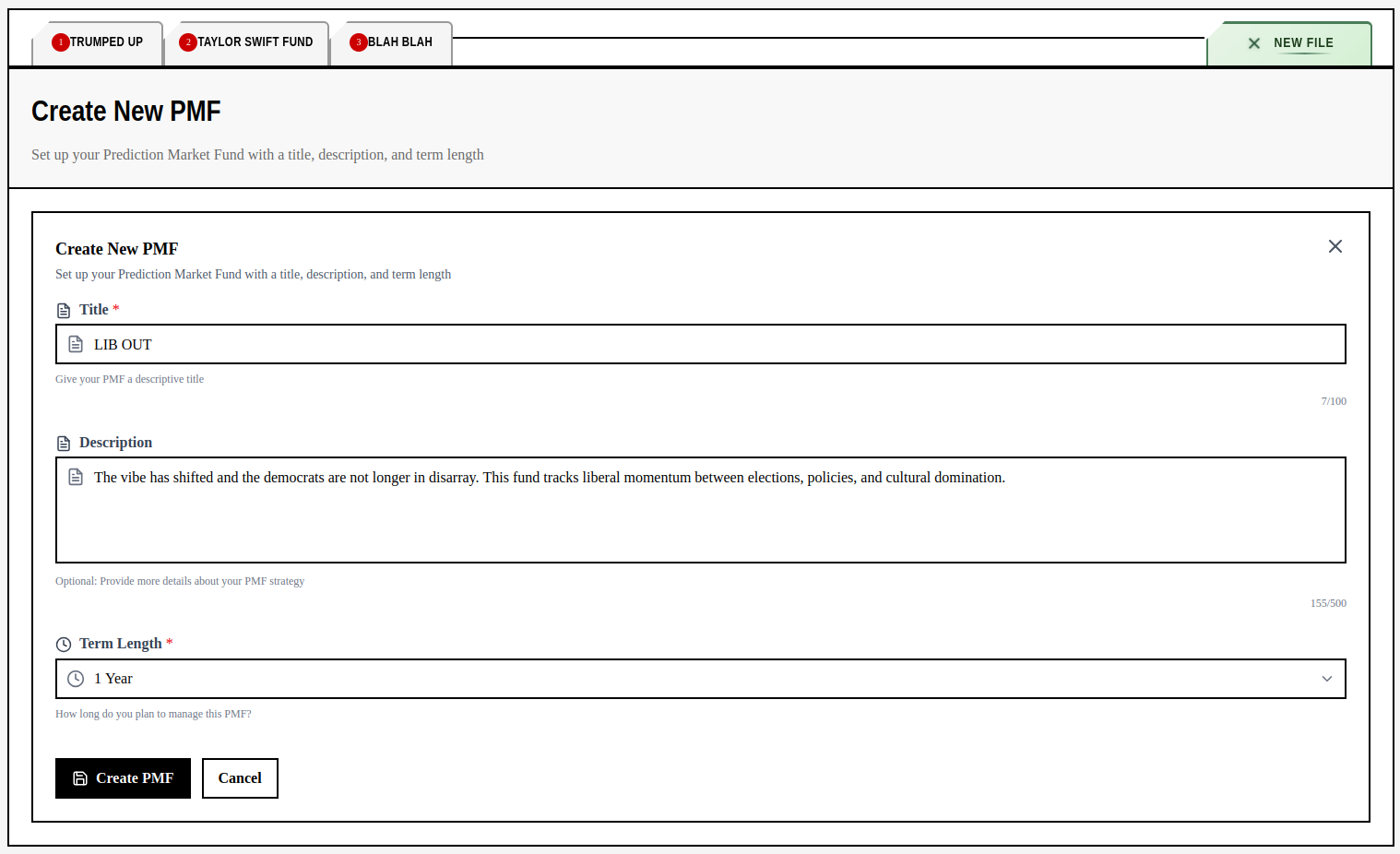
Fill out the information of the fund including the types of markets you plan to include. This is how the public will understand your PMF so be detailed and specific!
Click "Create PMF" to move onto the next step. You will now have an empty fund.
Market Selection
After creating the PMF, click the "Markets" tab on the file and then the "Configure Markets" button to open up the menu below.
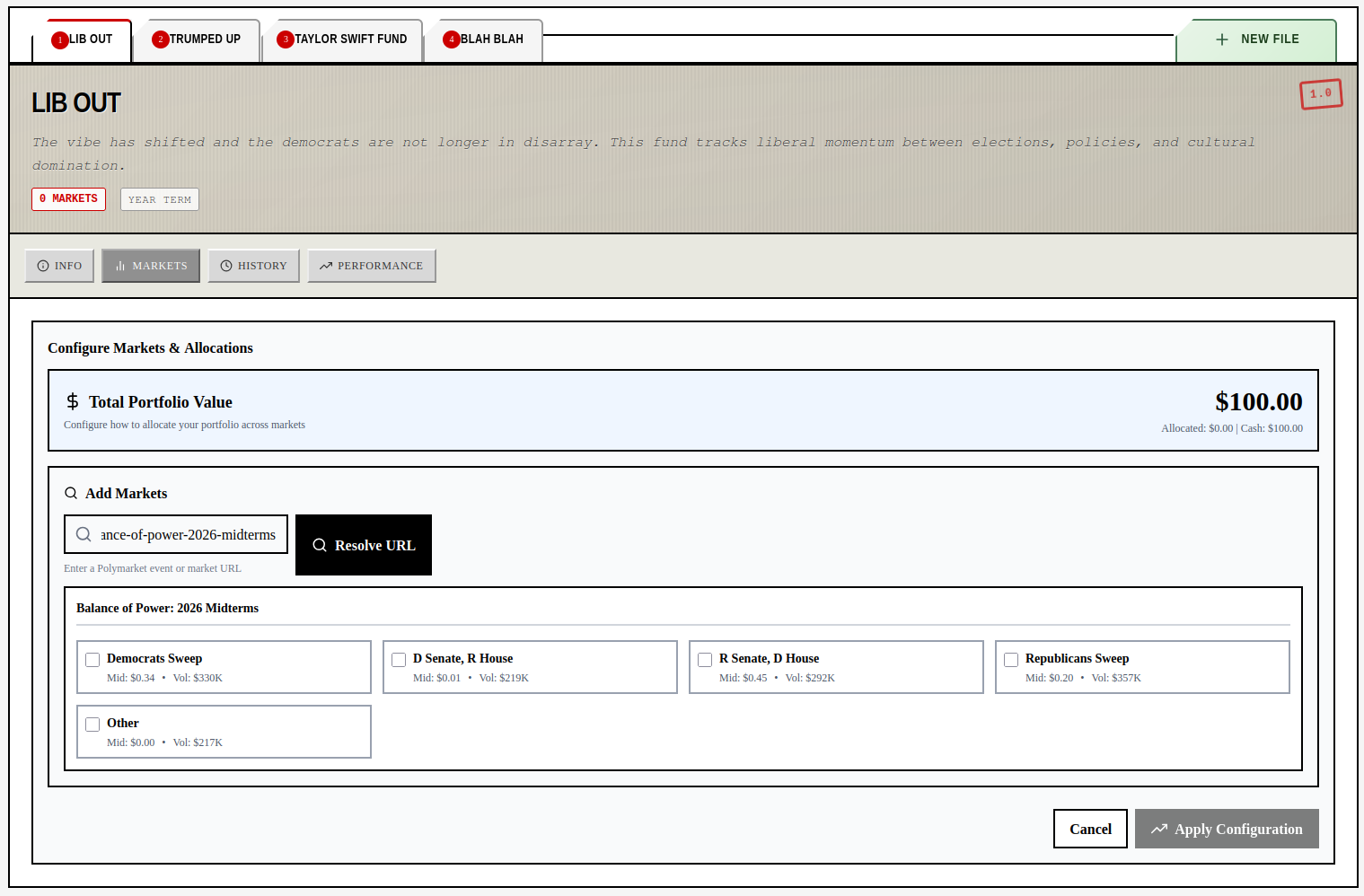
Find the markets you wish to include on Polymarket then paste the url in the Resolve URL component. It will then find all of the markets associated with that event, filtering out those without any real volume.
Currently each PMF starts with $100 simulated. You select up to 15 markets as well as their sizes and ratios.
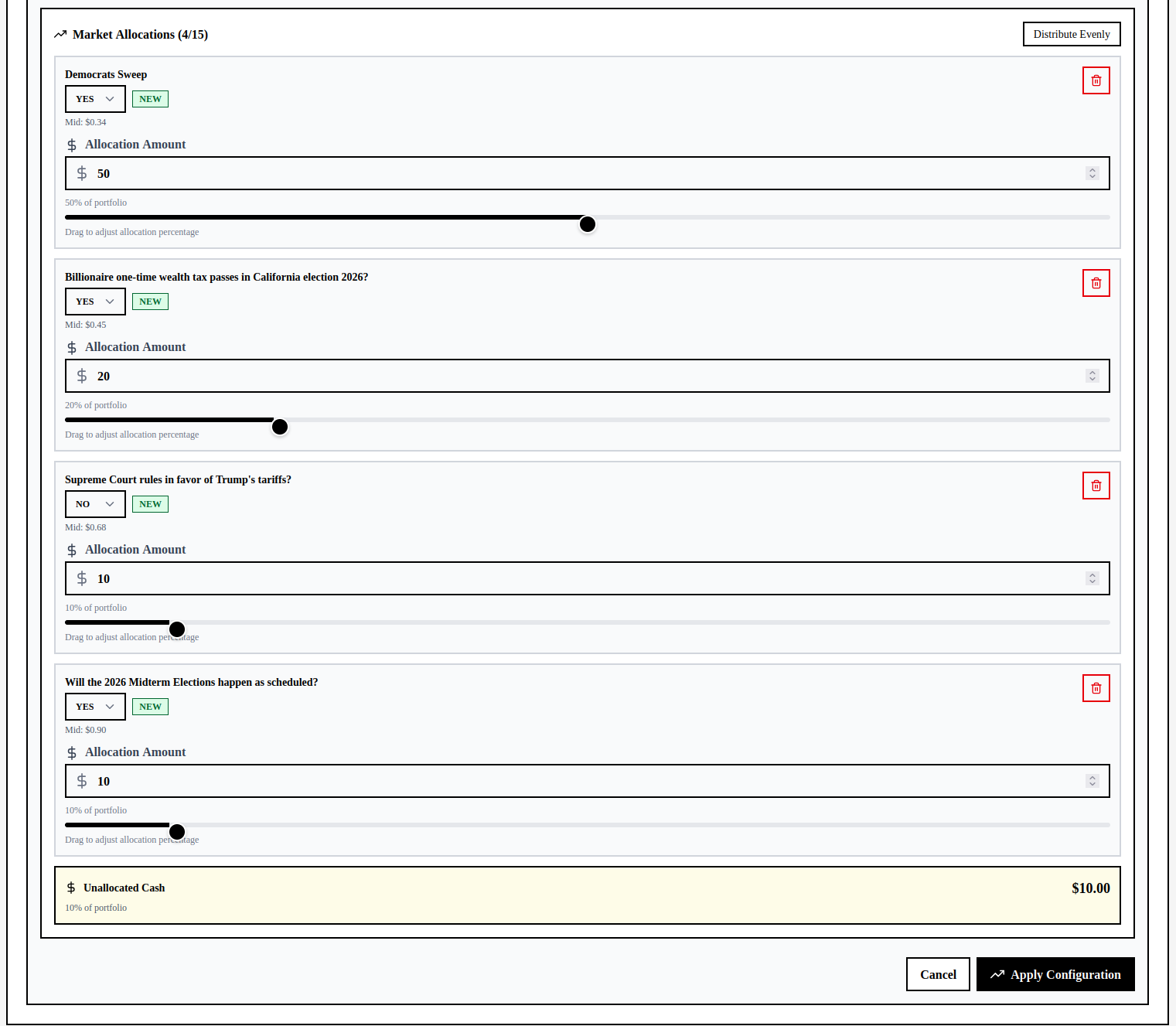
You may come back and rebalance as much as you wish so having some unallocated capital will make it easier to enter new positions. After you finalize your selections click on "Apply Configuration".
After adding markets it takes a few moments to load. so the page may say there are no markets. Upon refreshing the page you will see them.
Monitoring the Situation
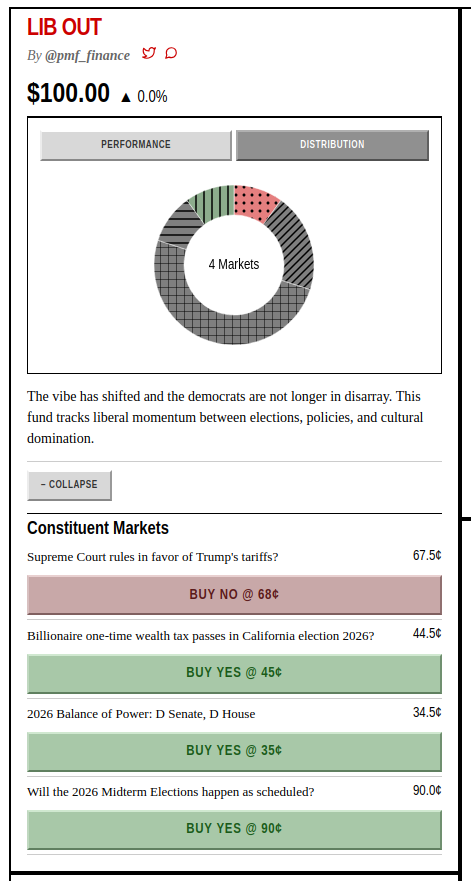
You will now see your PMF on the frontpage. Because prices are polled every hour it will take a bit for you to see the price changes.
Have fun!